 YNSPIRA
No, the AI chatbot doesn't read every document every time

Internal AI chatbots that help employees find the right information have become pretty common in a lot of organizations. A typical example is an HR agent that answers questions based on the employee handbook, or an IT agent that helps staff sort out everyday technical problems.
These agents are everywhere now, but there are still plenty of misconceptions about how they search for and pick out the relevant information.
By the end of this article, you'll know:
- how this kind of AI agent (a retrieval bot) searches its knowledge sources
- why it usually doesn't read all of its knowledge sources every time it answers
- what it does instead (spoiler alert: it uses RAG, a method we'll explain with a focus on what it means for you as a user)
- how to write and structure internal documents so the agent finds the right content
- what you can influence, and what's out of your hands, if you build a retrieval bot yourself
The goal is to explain the main principles behind how many standard AI agents (retrieval bots in particular) find information, in a simple and easy-to-follow way. This isn't a detailed technical walkthrough.
The RAG method described here is used by most of the big AI platforms, including Microsoft Copilot, ChatGPT, Claude and Gemini. The details of how it works vary between platforms and setups, but the basic principles are largely the same.
First: What is RAG?
RAG stands for Retrieval-Augmented Generation. It's a technique that lets AI search for relevant information in the knowledge sources it has access to and use that information to answer questions. It matters most when there's a lot of material to search through, not when you just give the AI a short text or a few short documents.
How RAG works in practice
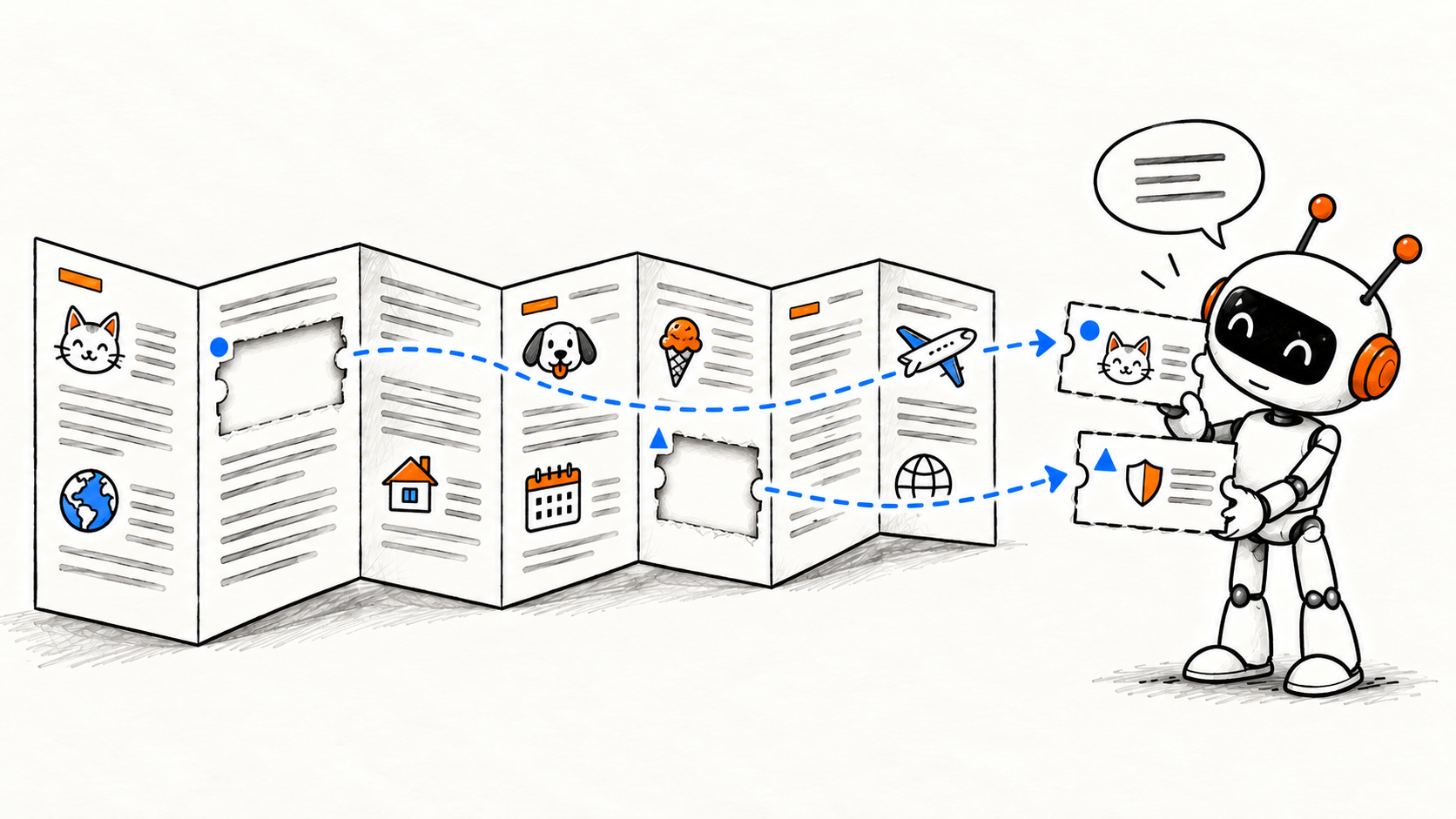
First, the documents are processed and split into smaller pieces of text (often called chunks). These chunks are indexed so the system can search them later and find relevant information. When you ask a question, the agent uses this index to find the most relevant chunks instead of reading the whole knowledge library.
That's how many internal AI chatbots work, whether they're built in Microsoft Copilot Studio, ChatGPT, Claude or another AI platform.
A practical example
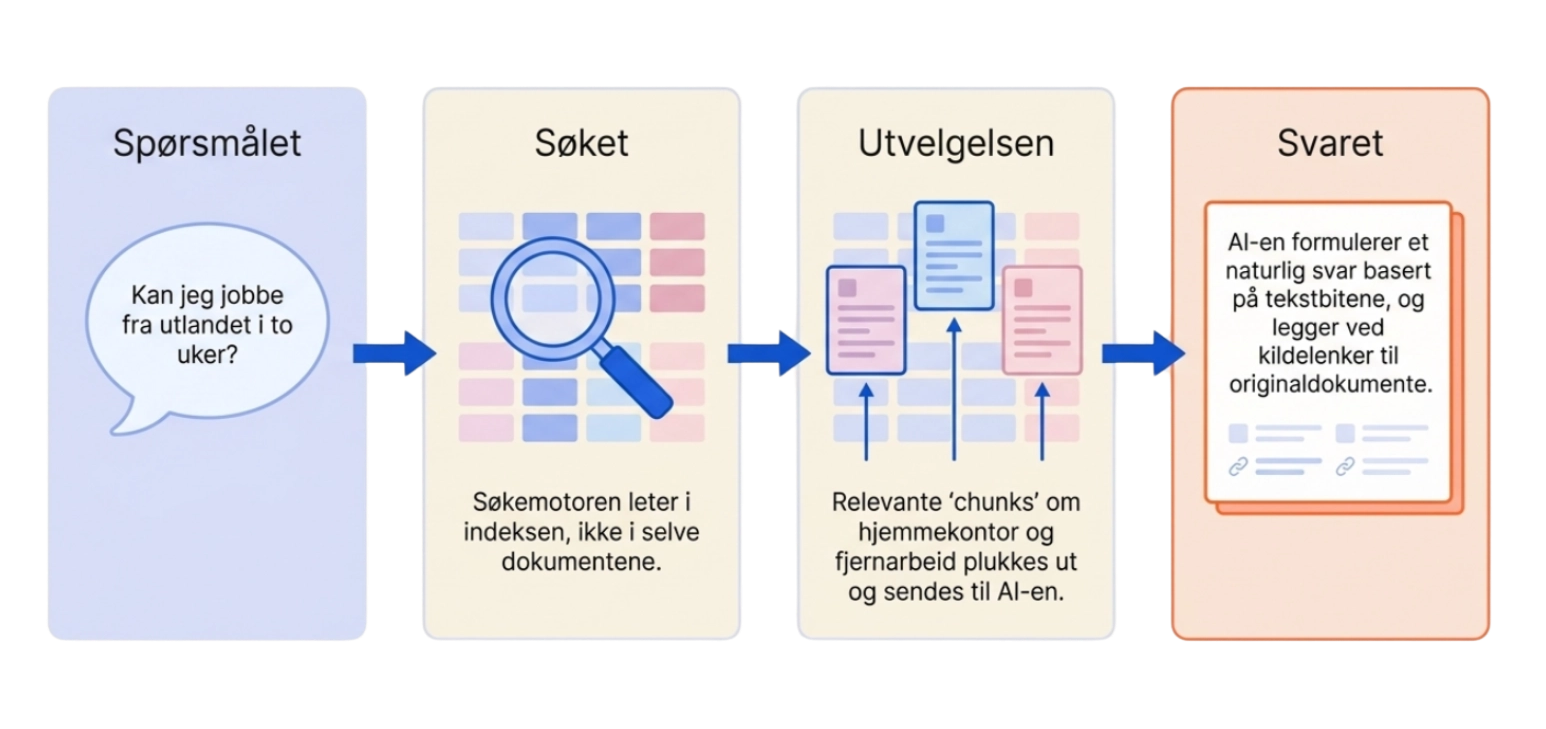
Let's make this really concrete. Say you ask the HR agent: “Can I work from abroad for two weeks?” The agent searches the organization's knowledge sources, finds the relevant sections on working from home and working abroad, and uses that information to put together an answer.
But the agent doesn't read the employee handbook from start to finish every time you ask a question. And it definitely doesn't read the hundreds of files it has access to in its knowledge library. Instead, it uses RAG to search the knowledge sources for relevant information and uses what it finds to write an answer.
This happens through two processes:
- Indexing, which makes the documents searchable
- Retrieval, which pulls up relevant information when you ask a question.
Indexing, explained simply
Imagine the HR agent has 400 SharePoint documents in its knowledge library.
If the agent had to open and read every single one of them each time someone asked a question, it would be extremely slow and use a lot of resources.
That's why RAG systems usually rely on a search index. A search index is a bit like an advanced catalog of the documents. It lets the system find relevant information without reading through all the content from scratch every time.
But how can the system know what's in the documents without reading them first?
Good catch! It can't! When a search index is built, the content of the documents has to be processed first. In many RAG systems, it goes roughly like this:
- The text is extracted. The system processes the content of the documents.
- The text is split up. Longer documents are usually broken into smaller pieces of text (chunks).
- The content is made searchable. The system builds an index. Many solutions also create mathematical representations of what the text means (so-called embeddings).
These representations make it possible to search for information based on meaning (semantic search), not just specific words.
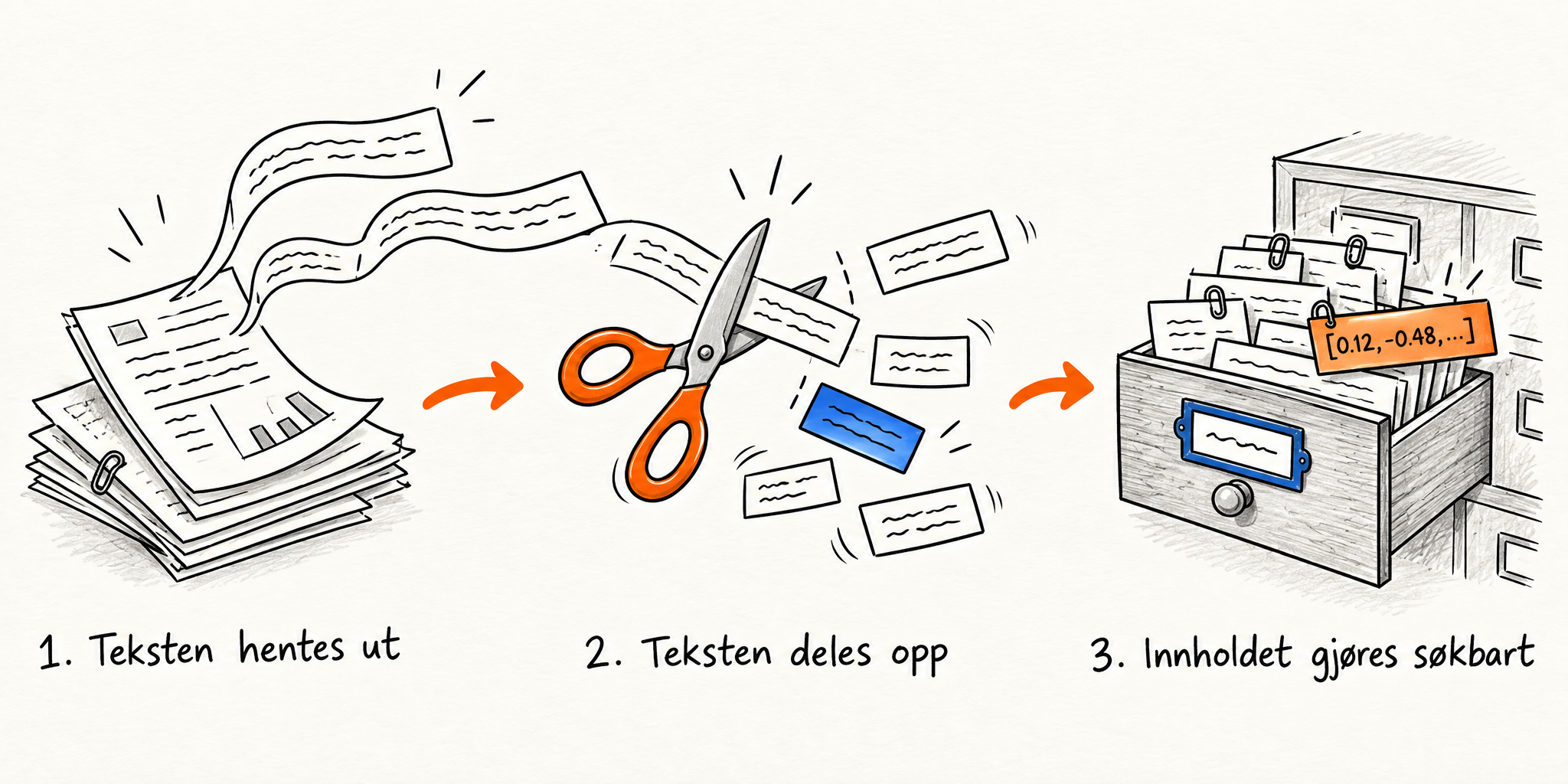
This work is usually done in advance, not every time someone asks a question.
The index is updated as documents are added, changed or removed.
Either way, the point is the same: the AI agent doesn't normally read the documents from start to finish every time someone asks a question.
Retrieval: you ask a question, the agent looks for relevant information
So what happens when you ask: “Can I work from abroad for two weeks?” The agent doesn't look through the documents directly. It searches the index that was built in advance and pulls out the chunks that best match your question. The chunks come from the original documents, so the answer is still based on what the sources say.
Modern AI agents usually use semantic search. That means the search system looks for information with a similar meaning, not just identical words. In practice, even if the document is called “Remote work guidelines”, the system can find it when you ask about working from abroad.
Many modern search systems combine several techniques, and hybrid search is common. It uses, for example, both keyword search and semantic search at the same time.
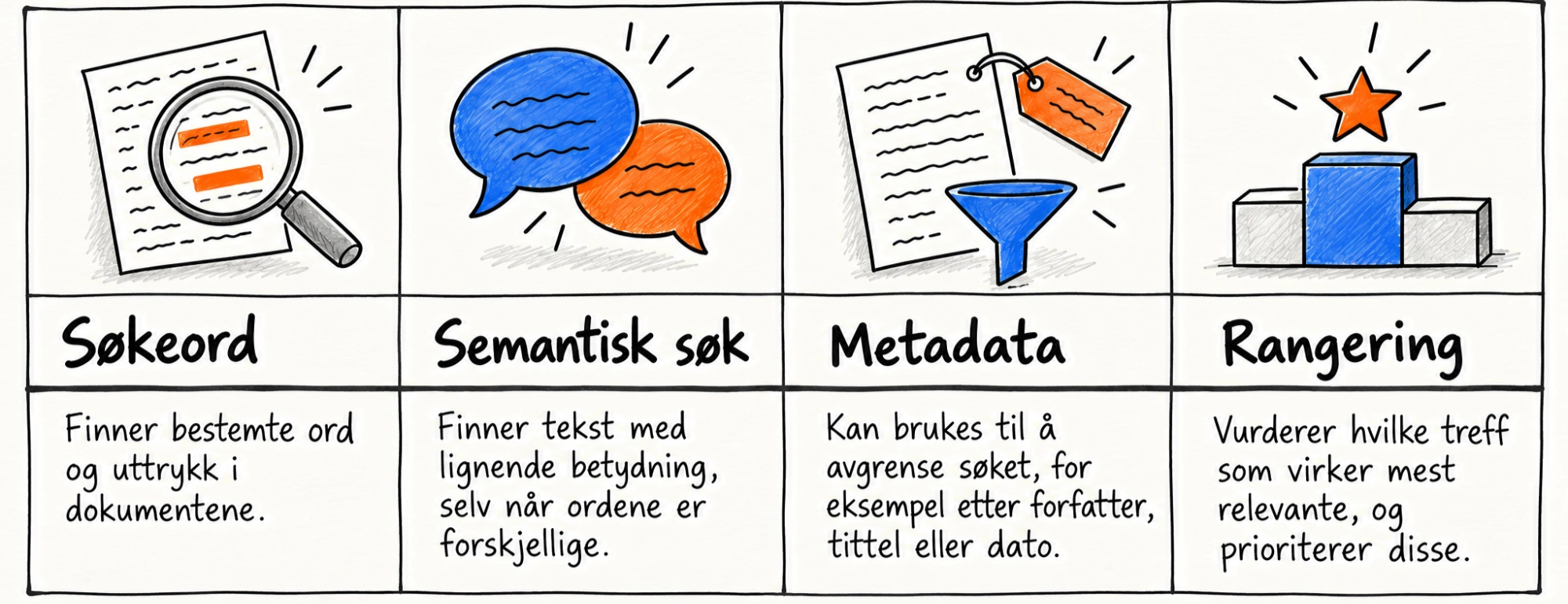
Exactly which techniques are used, and how, varies from one solution to the next.
Once the search is done, the search system picks out the relevant content. That might be passages from several different documents. This information is passed on to the agent, which uses it to write an answer, often with links to the sources.
Heads up! Things can go wrong at both stages:
- The search system can find the wrong information or miss something important.
- The agent, for its part, can misunderstand or misread the information it has been given.
So don't just test whether the agent gives well-written answers based on relevant sources. Check the answer against the original wording in the sources too.
What does this mean for how you write and structure documents?
Once we understand how RAG works, it's easier to see why well-designed internal documents matter so much for good indexing and retrieval.
The most important thing to remember is that a chunk is often found and read on its own, without the rest of the document. That has real consequences for how internal procedures and guidelines should be written.
7 things you can do to make information easier for AI to find and use:
1. Use clear, descriptive headings
“Guidelines for working abroad” tells you more than “HR miscellaneous”. Use subheadings that describe what each part is about. That makes the document easier to understand and search, both for employees and for systems that process the content in smaller pieces.
2. Format headings properly
Use the heading styles in Word, SharePoint or Google Docs, not just bold text. Clear headings help the agent find the right part of the document and make it less likely that it pulls information from the wrong part.
3. Write paragraphs that make sense on their own
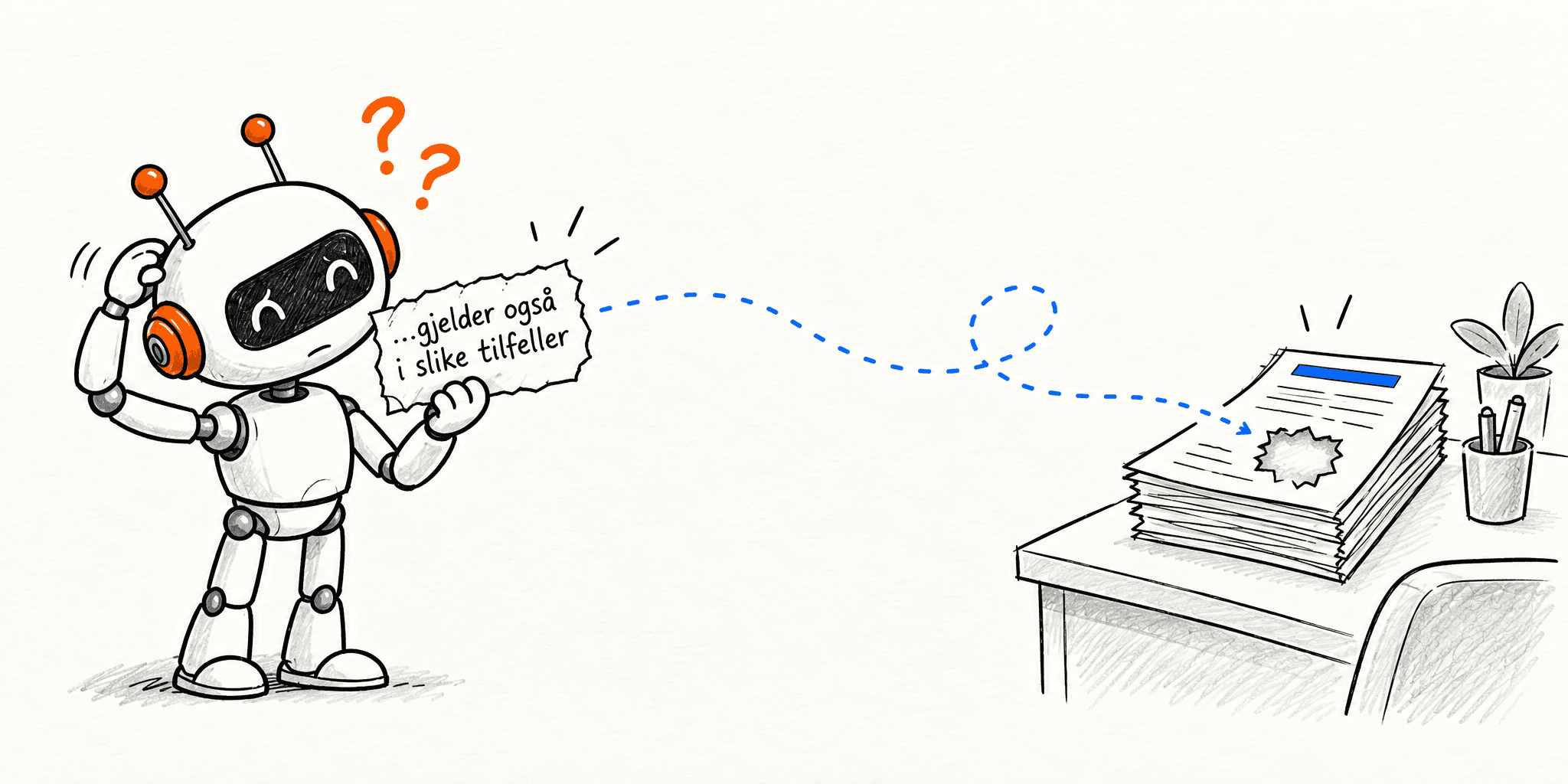
Remember that the system may only pull out parts of a document. A paragraph that starts with “This also applies in such cases” can be hard to interpret if the context it needs is somewhere else in the document. Spell out what the rule applies to instead.
4. Keep related information together
If a rule, its exceptions and the approval process are scattered across different places, there's a bigger risk that the agent won't get the full picture. Try to keep closely related information together and clearly organized.
5. But avoid all-in-one documents
Group by topic, rather than putting everything in one place. A document running to dozens of pages on lots of different topics is harder for AI to search precisely than three documents that each cover one clearly defined topic.
6. Important information should be written as text.
Text in images, flowcharts, screenshots and scanned PDFs isn't always picked up by the system. If something important is in an image, write it out as regular text as well.
7. Use clear, consistent terms
If a process is called “remote work”, “working from home”, “WFH” and “flexible workplace” interchangeably, it can cause unnecessary confusion. Semantic search helps a lot, but consistent terms still make information easier to find and lower the risk of misunderstandings.
These are good documentation principles anyway, whether the information is going to be read by AI or by people.
What can you influence when you build an agent yourself?
If you build an agent in Copilot Studio, for example, you can influence more than just which documents it has access to. But you usually have little control over how the indexing or the search itself works.
What you can usually influence:
- Knowledge sources: Which documents, folders and other information sources the agent should use.
- Scope: Whether the agent should search a large document area (a SharePoint site, for example) or a smaller, more relevant selection (specific files or folders).
- Instructions: How the agent should answer, handle uncertainty and treat the knowledge sources.
- Source descriptions: In solutions like Copilot Studio, good descriptions can help the agent choose the right knowledge source.
- Web search and general knowledge: On many platforms you can switch off the AI's general knowledge or web search. That makes it harder for the agent to hallucinate and more likely that its answers are based only on the internal knowledge sources you've selected.
What you usually have little or no control over in standard solutions:
- How the documents are split into chunks
- How the search ranks all the hits
- Exactly which text excerpts are passed on to the agent.
How much of this you can control depends on the platform and the type of agent you're using. If you build a more custom RAG solution, you can often control a lot more.
Finally: A good agent starts with good knowledge sources
RAG lets AI chatbots find and use information from large document collections without rereading everything each time.
But even the best AI agent won't clean up messy documents, outdated procedures, information gaps or contradictory guidelines.
That's why good retrieval and reliable AI answers depend on the quality of the sources. For the agent to find the right information and give correct answers, the underlying content has to be up to date, clearly written and well organized.
 ChatGPT Chat